Setting NTFS Permissions
The most common way to set permissions is to use Windows Explorer.
To set permissions for an object:
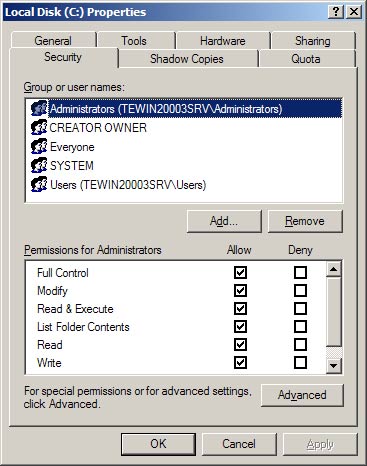
- In Windows Explorer, right-click a file, folder or volume and choose Properties from the context menu. The Properties dialog box appears.
- Click the Security tab.
- Under Group or user names, select or add a group or user.
- At the bottom, allow or deny one of the available permissions.
Properties dialog box showing Security tab