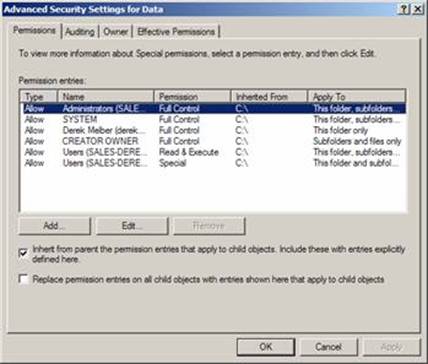
Explicit vs. Inherited Permissions
Each permission that exists can be assigned one of two ways: explicitly or by inheritance. For this reason, permissions are referred to as explicit permissions and inherited permissions.
- Explicit permissions are permissions that are set by default when the object is created, or by user action.
- Inherited permissions are permissions that are given to an object because it is a child of a parent object.
Similar to the way rights are managed for groups of users, permissions are best managed for containers of objects. Objects within the container inherit all the access permissions in that container.
For example, you might explicitly give permissions to a folder named MyFolder. All subfolders created within MyFolder automatically inherit the permissions assigned to MyFolder.
In the example above, it is possible to stop subfolders from inheriting access permissions. To do this, you must explicitly clear a setting that causes the inheritance.
Inherited permissions