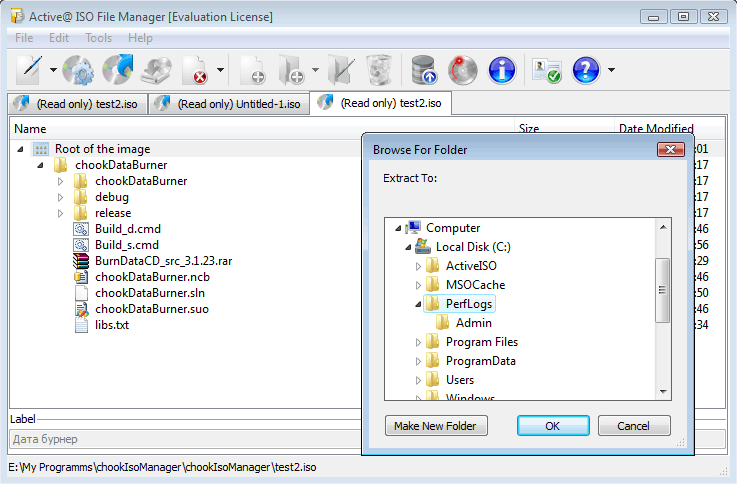
How to extract files from an ISO image file?
-
Click Load file tree from existing ISO toolbar button, or choose Load from ISO from File menu, or press Ctrl+L
-
Select an existing ISO image file in file open dialog, click Open. File tree should be loaded for read-only access.
-
Click Extract ISO to toolbar button, or choose a related command from the Tools menu.
-
Select destination folder you want to extract files to, and click OK
-
See the progress. To cancel extracting files from ISO image, you can click the Cancel button