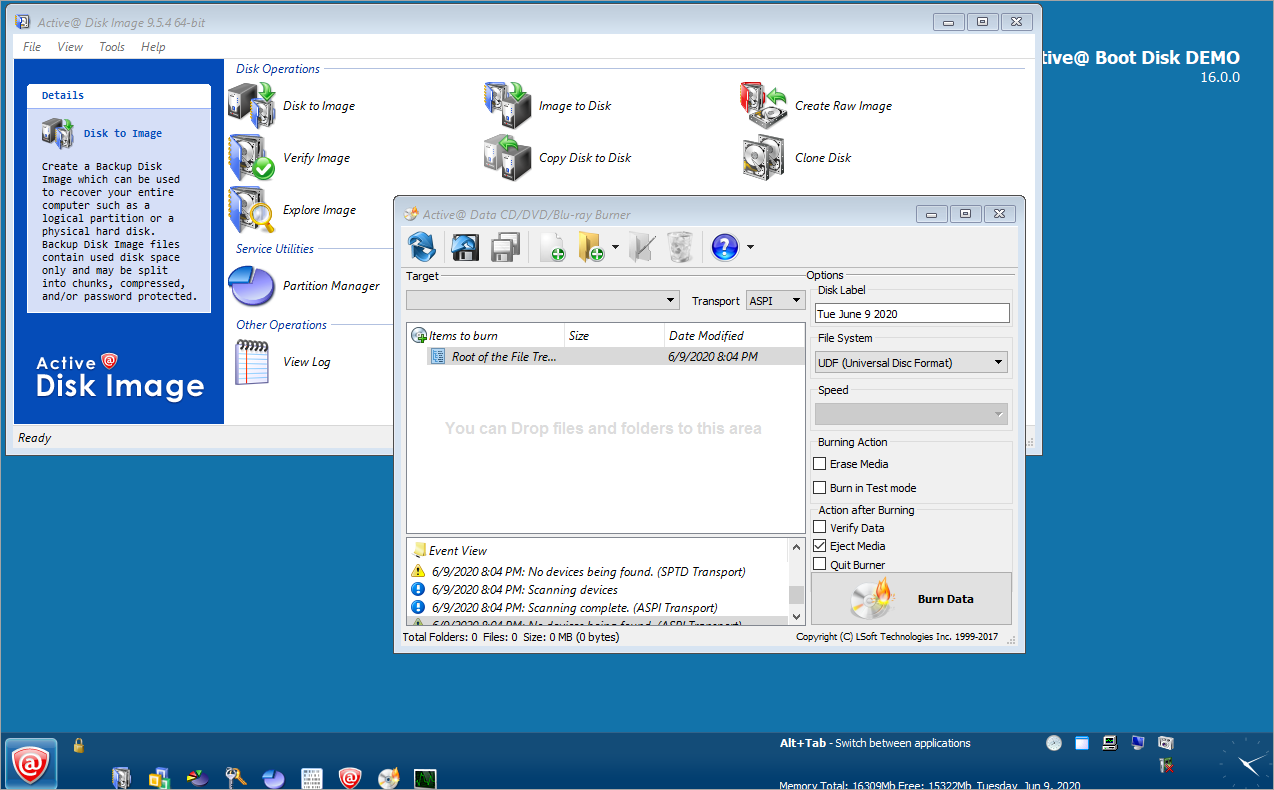
By using the Active@ Disk Image tool of Active Boot Disk you can create
and restore two different types of disk images:
- Backup Disk Image
A Backup Disk Image contains the exact copy of a computer hard
disks, including all user's data, operating systems, and programs.
A Backup Disk Image contains used disk space only and may be compressed,
password protected, and split into chunks.
- Raw Disk Image
A Raw Disk Image is an identical copy of every sector from the selected
physical hard disk or logical partition including used and unused disk space. It
is helpful for future data recovery or for a backup non-Windows operation systems.
Other features let you:
- Explore Disk Image and Extract Files/Folders
Display the contents of an existing disk image. Extract files and
folders from a backup file.
- Verify Disk Image
Check a Disk Image integrity to ensure the data in the image can be read without errors.
- Compression
Several levels of compression are available for certain types of Disk
Images.
- Password Protection
The Backup Disk Image can be protected by a password.
- Clone Disks
A sector by sector copy from one disk to another.

Next >>
|
Play Video
|